
Questions
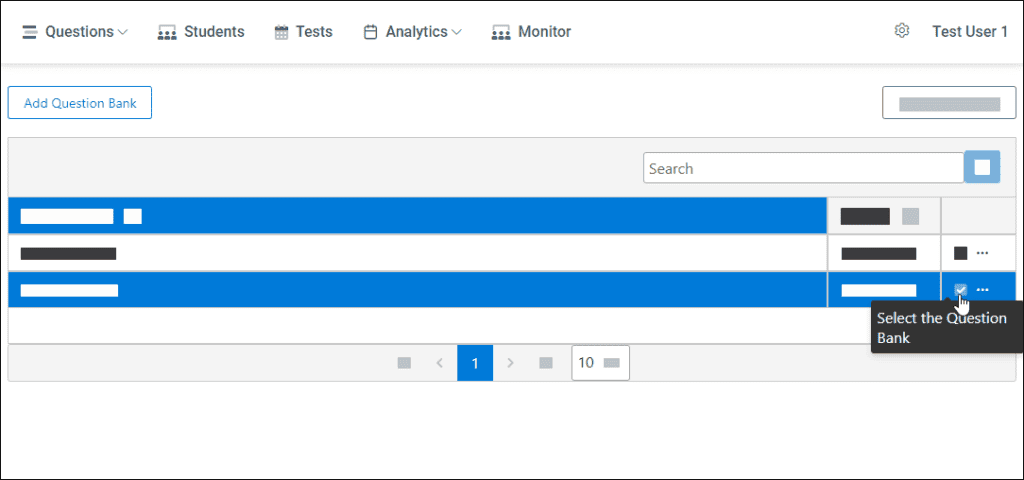
To see the list of questions, you need to click on the Questions category (on the main menu) and then select the desired question bank.
Add Question
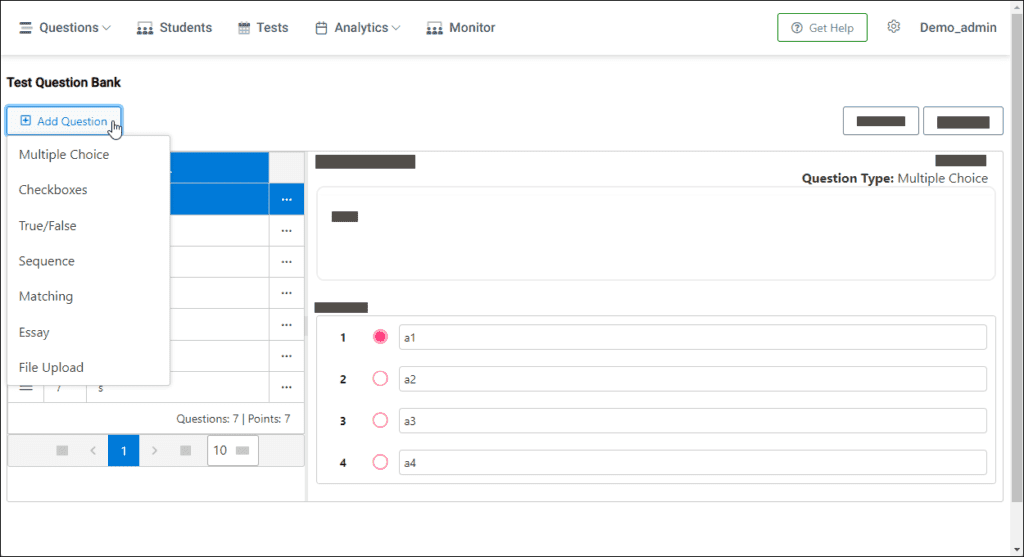
To add a new question:
- Click on the Add Question button and you will see question-type options
- Select the desired question type and create one
Edit Question
To edit the question:
- Select the desired question to edit
- Press the “…” icon and then select the Edit button
- Edit desired options and save it
Delete Question
To delete the question:
- Select the desired question to delete
- Press the “…” icon and then select the Delete button
- Confirm
💡 Please note, that if that question is already used in tests, you will not lose tracking records or analytics data in reports.
Find Question Duplicates
StudyDrome allows you to find full or partial question duplicates in a question bank.
To find duplicates:
- Select the desired question bank
- Press the Duplicates button
- Adjust the score to match your needs
The score defines the probability of duplicates. More score means less similarity.